

Connecting to the Relay
When you first power on your Vitesse Relay, it creates its own Wi‑Fi hotspot. Connect to this network to access the Relay’s local setup portal.
Step 1 - Plug In and Power On
Section titled “Step 1 - Plug In and Power On”- Plug in the Ethernet cables - one to your IT network (
eth0) and one to your OT network (eth1). - Plug in the power cable.
- Watch the stack light on top of the Relay:
- Pink - starting up (about 30 seconds)
- Glowing white and blue - ready to go
Wait for the stack light to turn white and blue before moving on.
Step 2 - Find the Wi‑Fi Hotspot
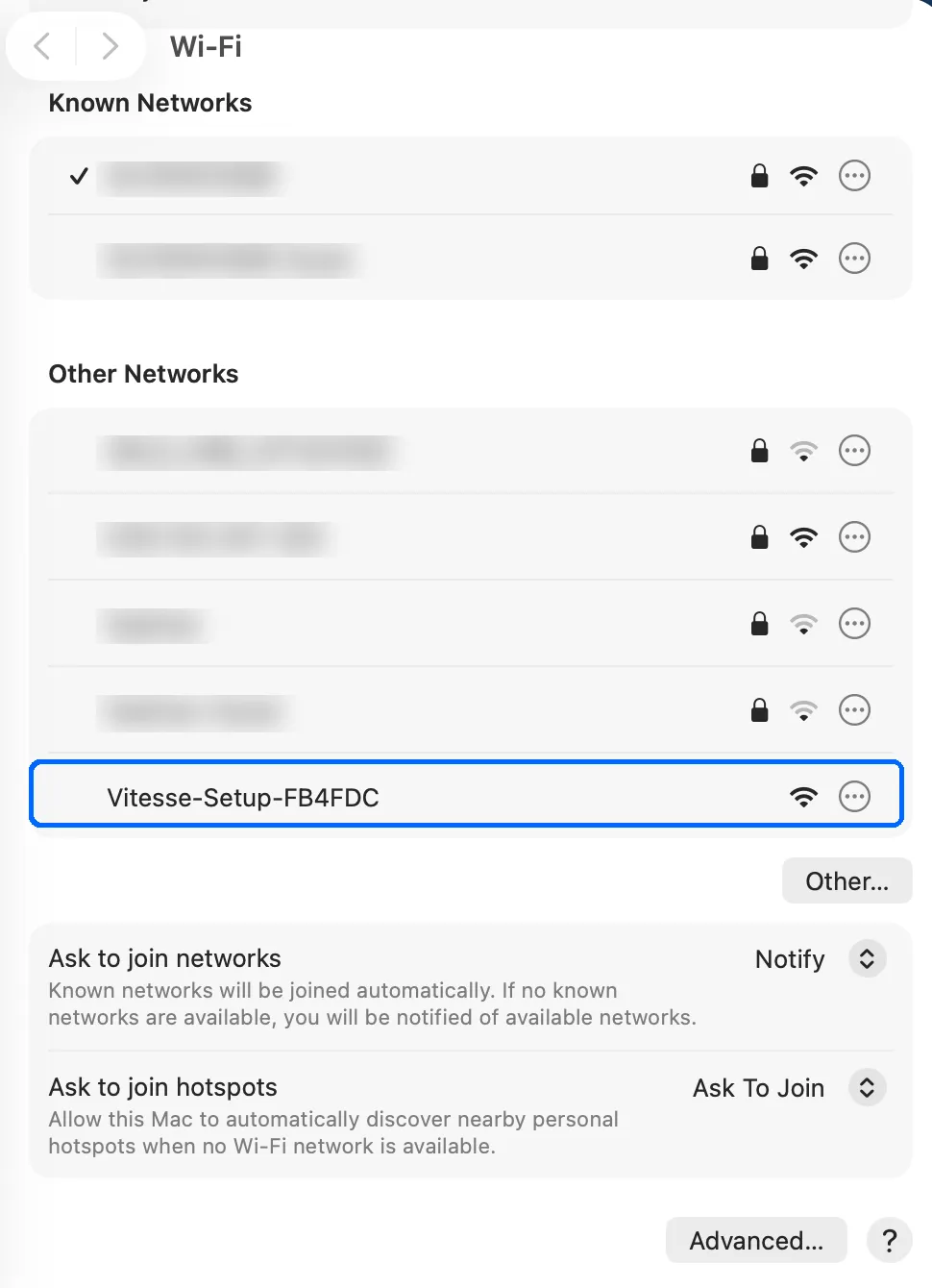
Section titled “Step 2 - Find the Wi‑Fi Hotspot”Open your computer’s Wi‑Fi settings. Look for a network named Vitesse-Setup-XXXXXX. The last 6 characters are unique to your Relay - you’ll also find them printed on the back of the Relay, so you can match the sticker to the network name.
Step 3 - Connect
Section titled “Step 3 - Connect”Click the Vitesse-Setup-XXXXXX network to connect. This network is open - no password required.
Your computer will connect to the Relay directly.
Step 4 - Open the Setup Portal
Section titled “Step 4 - Open the Setup Portal”Once connected, a captive portal pops up automatically with the Relay’s setup page.
Next, you’ll configure the network.