

Controllers
A Controller is a connection to a PLC or industrial device. When you add one, Vitesse connects and automatically discovers all available data points (symbols).
Adding a Controller
Section titled “Adding a Controller”- Navigate to a connected Gateway
- Click the Controllers tab
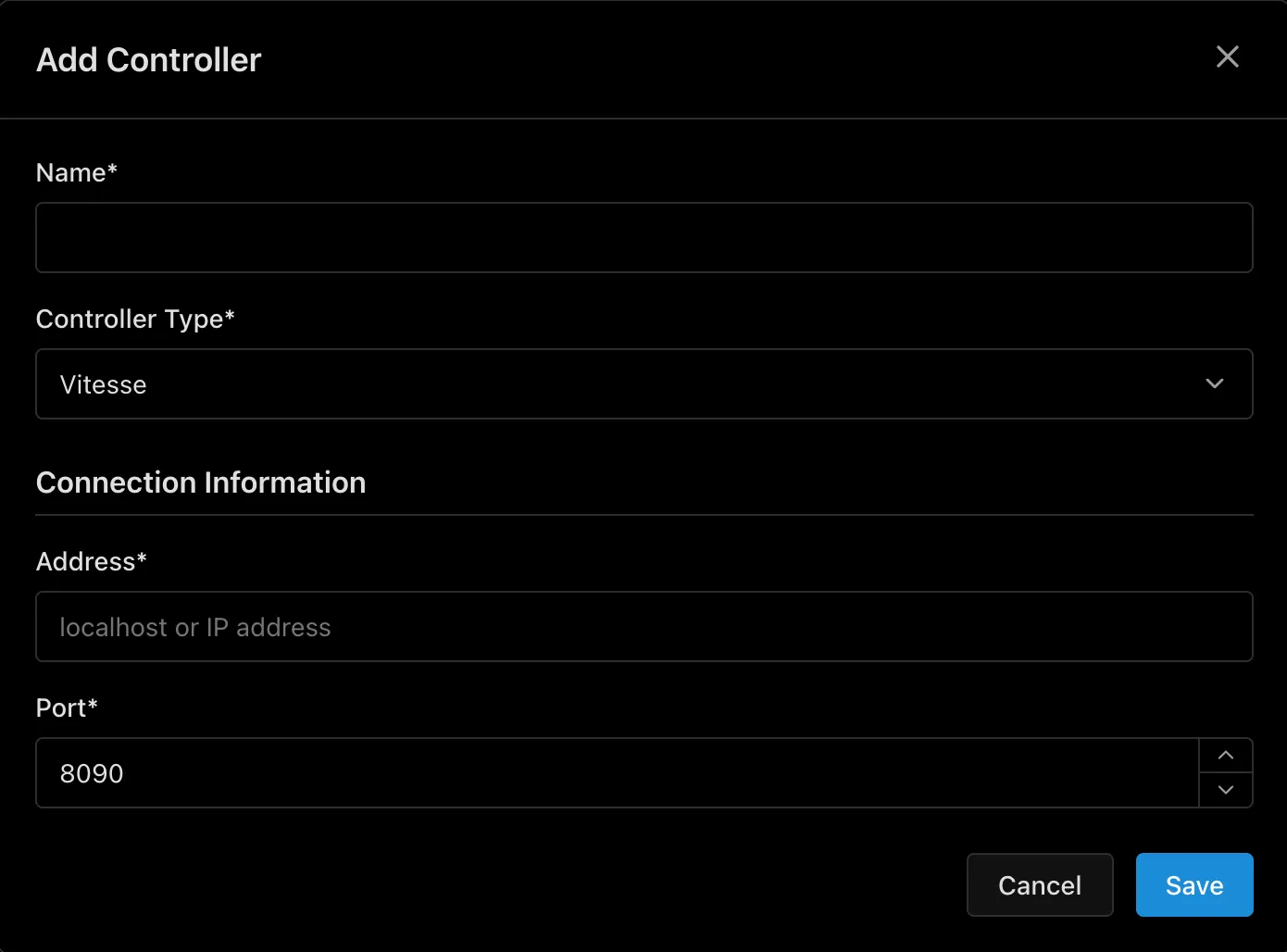
- Click Add Controller
- Select the protocol and fill in connection details:
| Protocol | Fields |
|---|---|
| Siemens S7 | Name, IP Address, Rack, Slot |
| Beckhoff ADS | Name, IP Address, AMS Net ID, AMS Port |
| Modbus TCP | Name, IP Address, Port |
| EtherNet/IP | Name, IP Address |
- Click Create
Symbol Discovery
Section titled “Symbol Discovery”Once connected, Vitesse automatically scans the PLC and discovers every data point. No manual configuration needed.
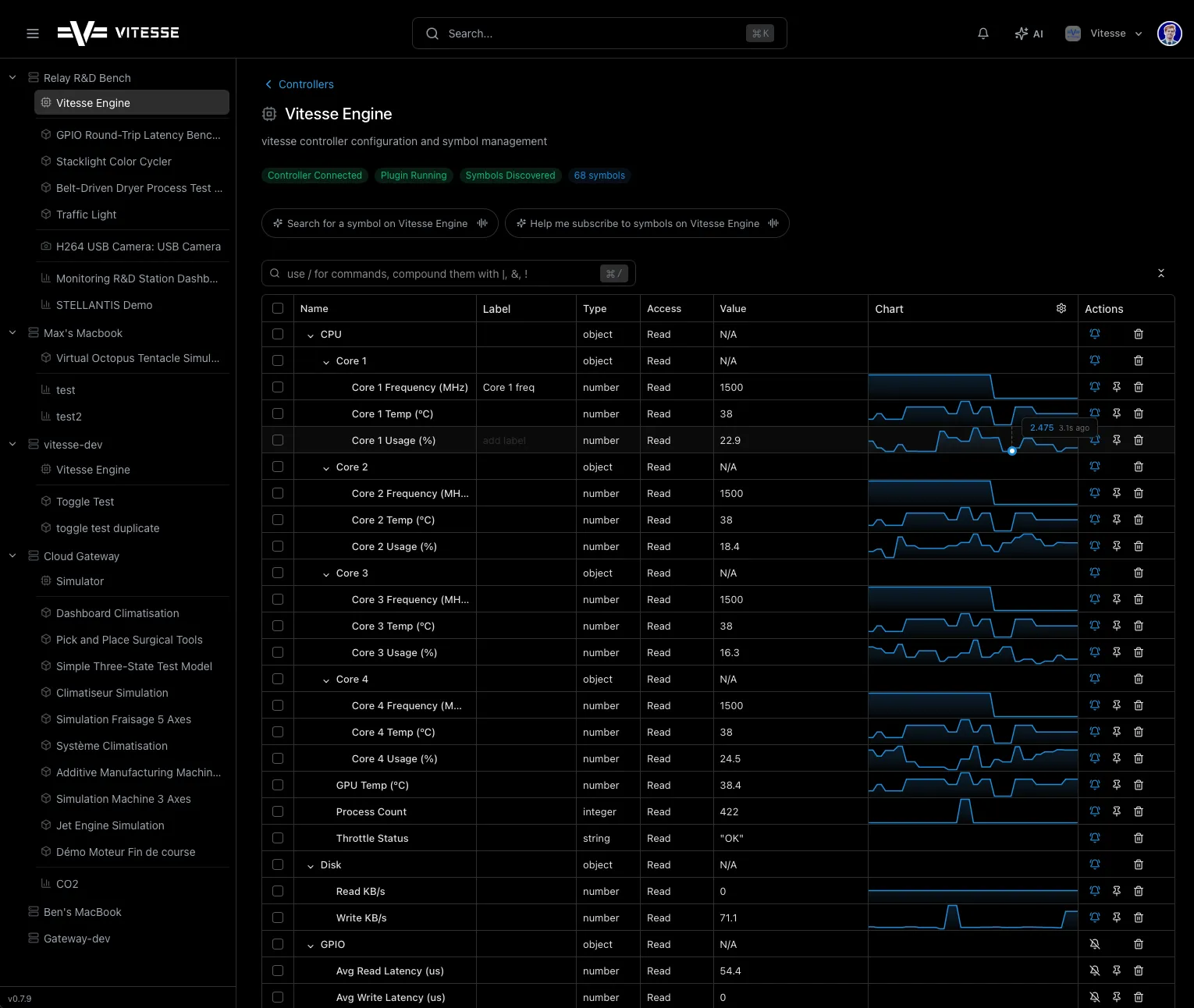
Each symbol shows:
- Name - from the PLC program
- Type - number, string, boolean
- Access - read-only or read/write
- Live value - updating in real time
- Sparkline - mini trend chart for numeric values
Working with Symbols
Section titled “Working with Symbols”Subscribe
Section titled “Subscribe”Click the subscribe toggle on any symbol to receive live value updates.
Write Values
Section titled “Write Values”Click the value field of a writable symbol, enter a new value, and confirm.
Click the chart icon on any numeric symbol to open a full-size trend chart.
Search
Section titled “Search”Use the search bar to find specific symbols instantly across the entire tree.
Import & Export
Section titled “Import & Export”- Export: Click Export on a controller to download a
.controllerfile - Import: Click Import or drag a
.controllerfile onto the Relay detail page - Bulk actions: Select multiple controllers to connect, disconnect, export, or delete in batch