

Models
A Model is a state machine that runs in your Gateway - directly on a Relay or hosted anywhere else. It watches PLC data, makes decisions, and takes actions - automatically, 24/7.
Example: “When motor speed exceeds 1500 RPM, switch to warning mode. If it stays high for 30 seconds, shut it down.”
In the App
Section titled “In the App”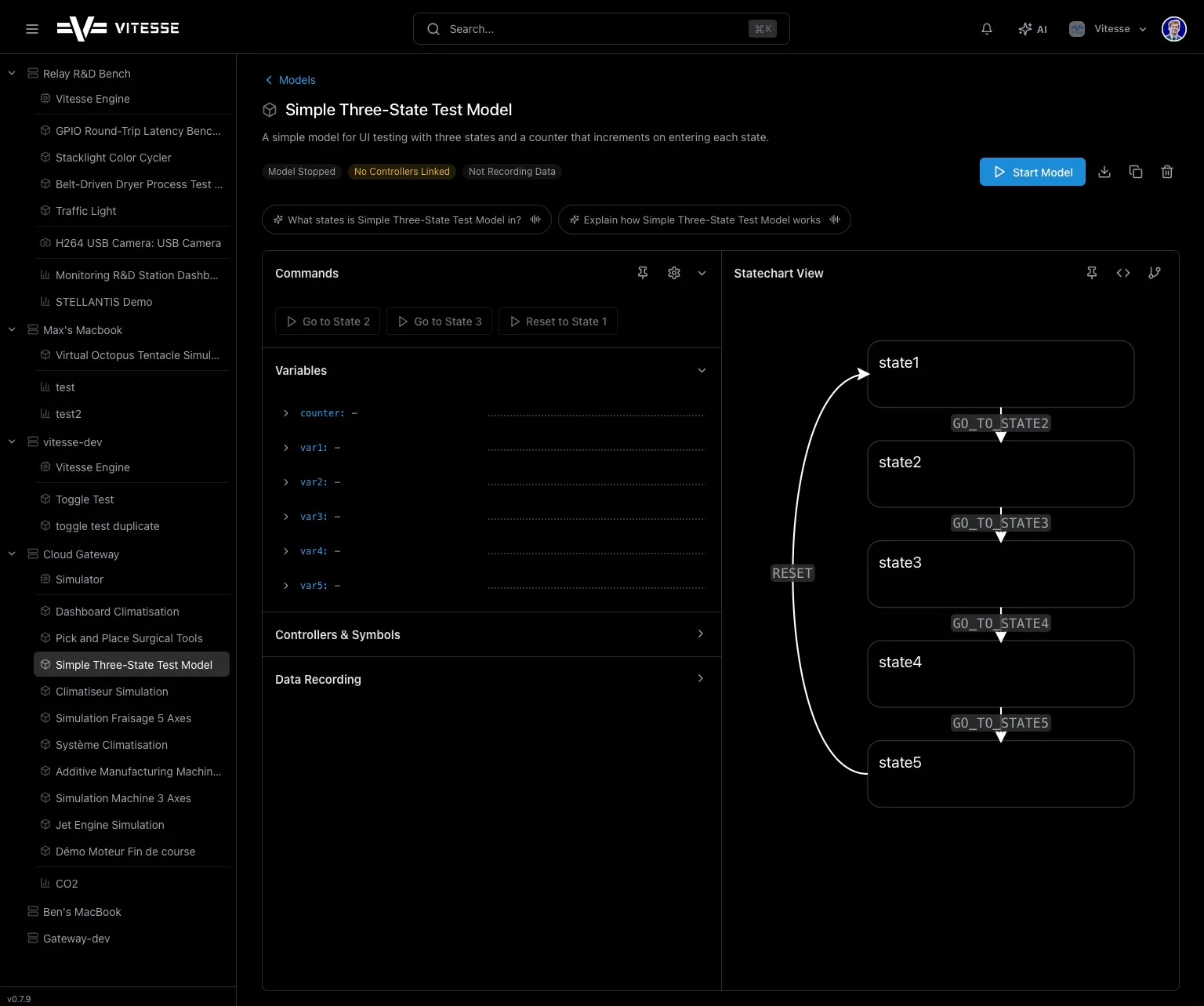
- Statechart Visualizer - visual diagram of states and transitions; active state glows green
- Commands - buttons to send actions (Reset, Start, etc.)
- Variables - live internal data with sparklines
- Parameters - configurable settings you can adjust without editing the model
- Controllers & Symbols - which PLCs the model reads from
Creating a Model
Section titled “Creating a Model”Option 1: Ask the AI
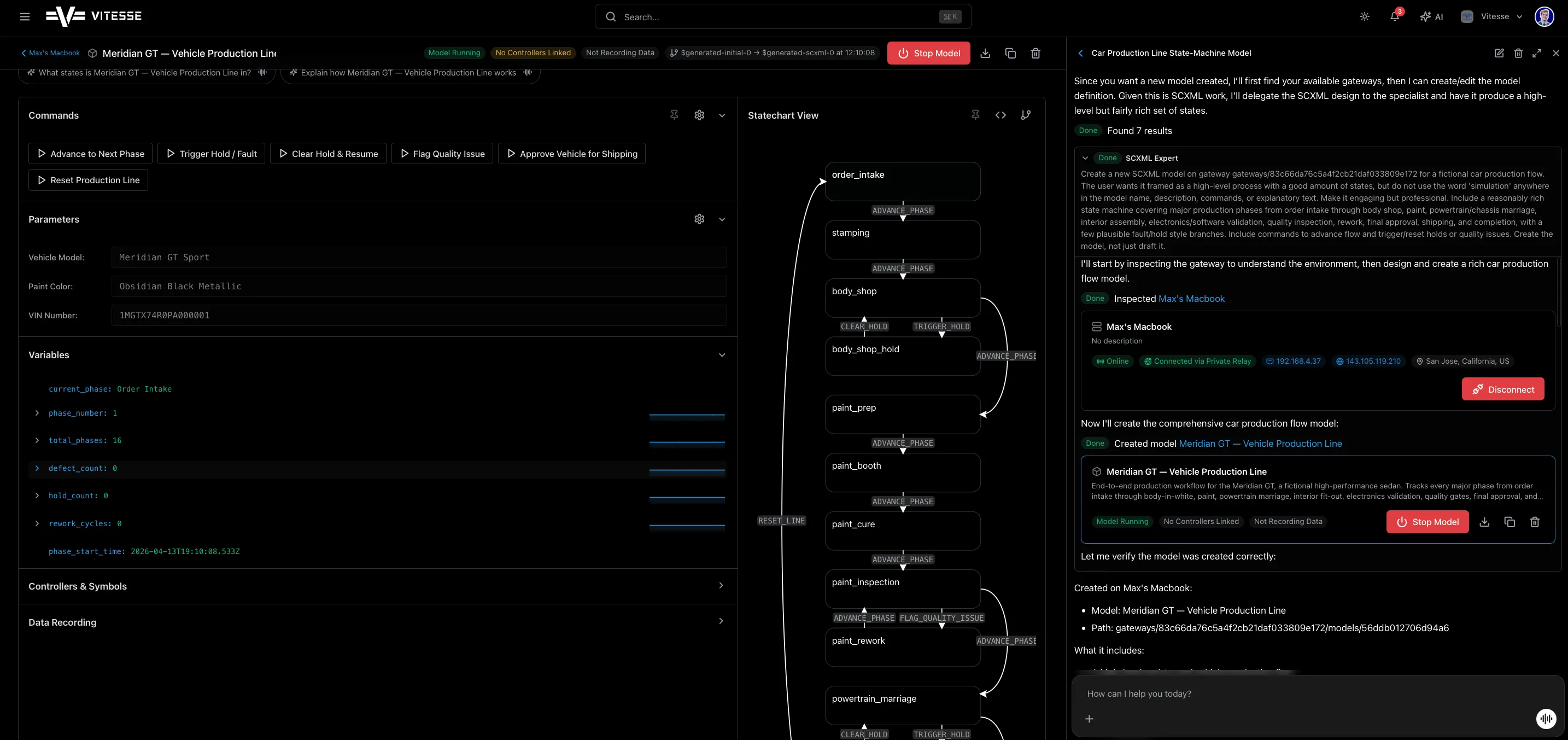
Section titled “Option 1: Ask the AI”Open the AI panel and describe what you want:
“Create a model that counts production cycles on Controller A”
The AI generates the state machine, connects it to the right symbols, and deploys it.
Option 2: Import a File
Section titled “Option 2: Import a File”Drag a .model file onto the Relay detail page, or click Import.
Option 3: Duplicate
Section titled “Option 3: Duplicate”Click Duplicate on any existing model to create a copy.
Running a Model
Section titled “Running a Model”- Click Start - model enters Waiting (gathering PLC data)
- Automatically transitions to Running
- Active state highlights green in the visualizer
- Click Stop to halt anytime
When a Relay is used, Models run locally on the Relay - so they keep working even without internet.
Key Concepts
Section titled “Key Concepts”| Concept | What It Means |
|---|---|
| States | Conditions the model can be in (Idle, Running, Warning, Error) |
| Transitions | Rules for moving between states |
| Variables | Internal data the model tracks |
| Commands | Actions you can send to a running model |
| Parameters | Settings you can configure without editing the model |
The SCXML Editor
Section titled “The SCXML Editor”SCXML (State Chart XML) is an open W3C standard for describing state machines. It’s rigorous, portable, and readable - which is exactly what you want when automation logic has to survive across machines, sites, and years. That’s why Vitesse uses it as the native format for every Model.
Models have two views:
- Statechart Visualizer - interactive graph of states and transitions
- Code Editor - raw SCXML with syntax highlighting
Toggle between them using the view buttons. Stop the model before editing.
Data Recording
Section titled “Data Recording”Models can record variable values over time. Recorded data can be:
- Viewed as charts in the app
- Exported as CSV or Excel