

Cameras
Vitesse streams live video from on-site cameras directly in your browser, so you can observe equipment, processes, and safety conditions in real time - from the shop floor or from anywhere else.
What You Can Do
Section titled “What You Can Do”- Live view - real-time video stream
- Record - start/stop recording with one click
- Playback - scrub through recorded segments
- Download - export recordings as MP4
- Dashboard embed - add camera feeds as dashboard widgets
The Camera Page
Section titled “The Camera Page”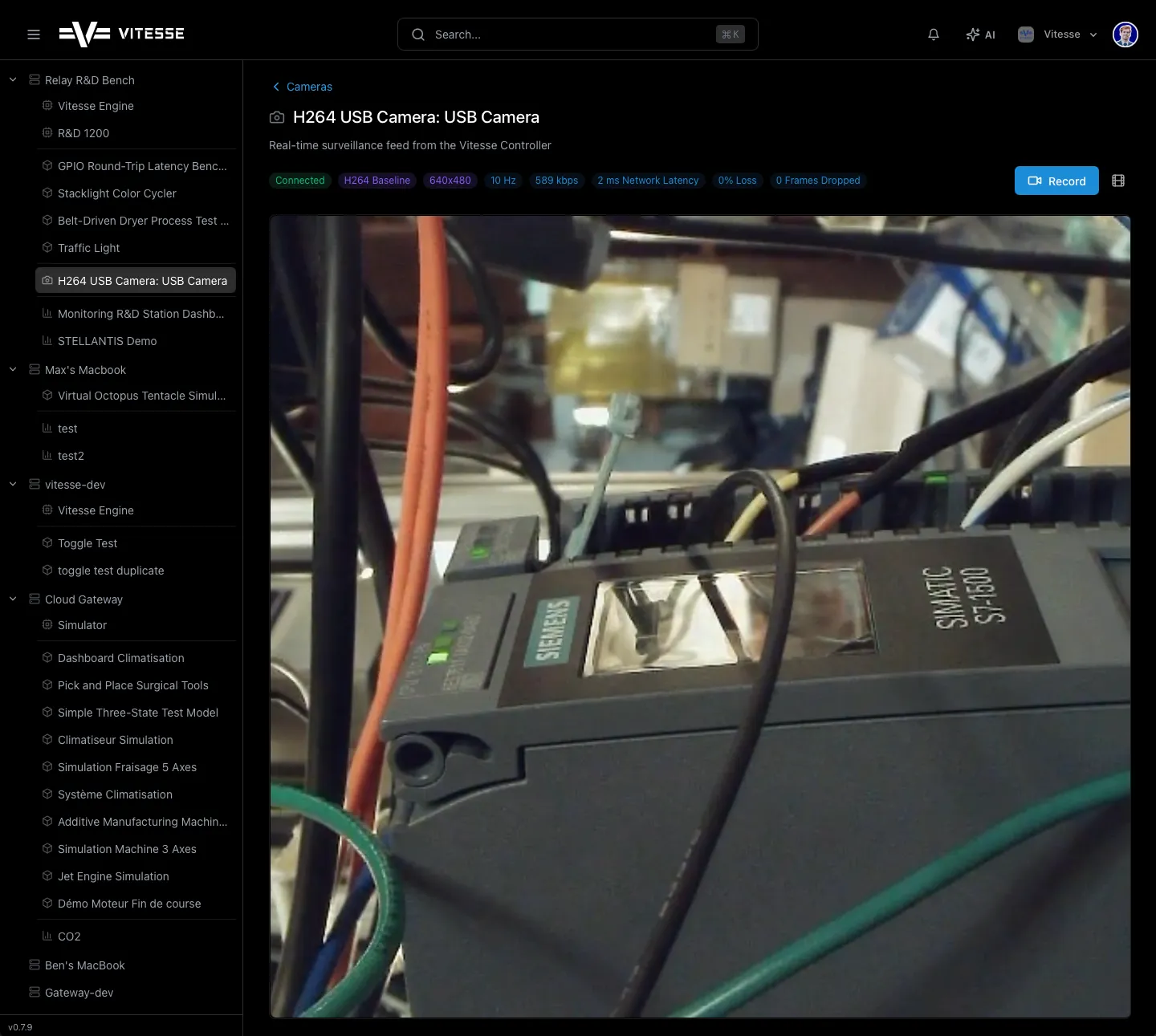
The status bar shows live metrics: FPS, Bitrate, Latency, Packet Loss, Frames Dropped.
Remote Viewing
Section titled “Remote Viewing”When you access cameras remotely, Vitesse automatically relays the video through the cloud. No VPN, no port forwarding, no IT configuration needed.
Recording
Section titled “Recording”- Click Record to start recording to the Relay’s storage
- Click again to stop
- Use the timeline scrubber to review recorded segments
- Click Download to export as MP4
Adding to Dashboards
Section titled “Adding to Dashboards”Camera feeds can be added as widgets on dashboards. See Dashboards for how to add them.