

Gateways and Relays
What’s the Difference?
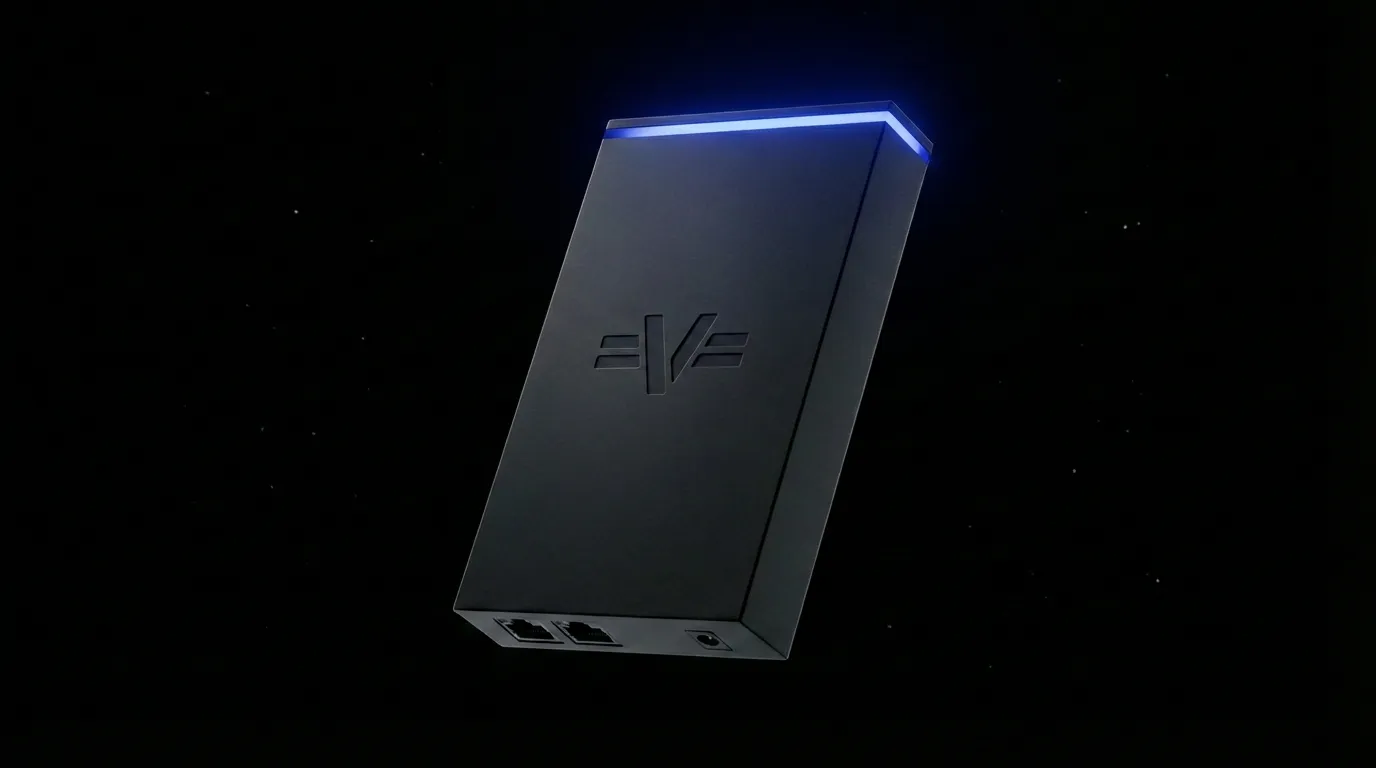
Section titled “What’s the Difference?”- Relay - the physical device installed on-site at your facility. It has the Ethernet ports, the power plug, the stack light, and the on-board storage. This is what customers plug in.
- Gateway - the software that runs on the Relay. It connects to your PLCs, runs automation models, streams cameras, and talks to app.vitesse.dev.
The Gateway can run on its own hardware, but the Relay is purpose-built to run it - that’s how most customers use Vitesse. In the app, each Relay shows up under the Gateways list, so you’ll see both names together.
The Gateway Detail Page
Section titled “The Gateway Detail Page”Click a Gateway in the home grid or tree navigator to see its detail page:
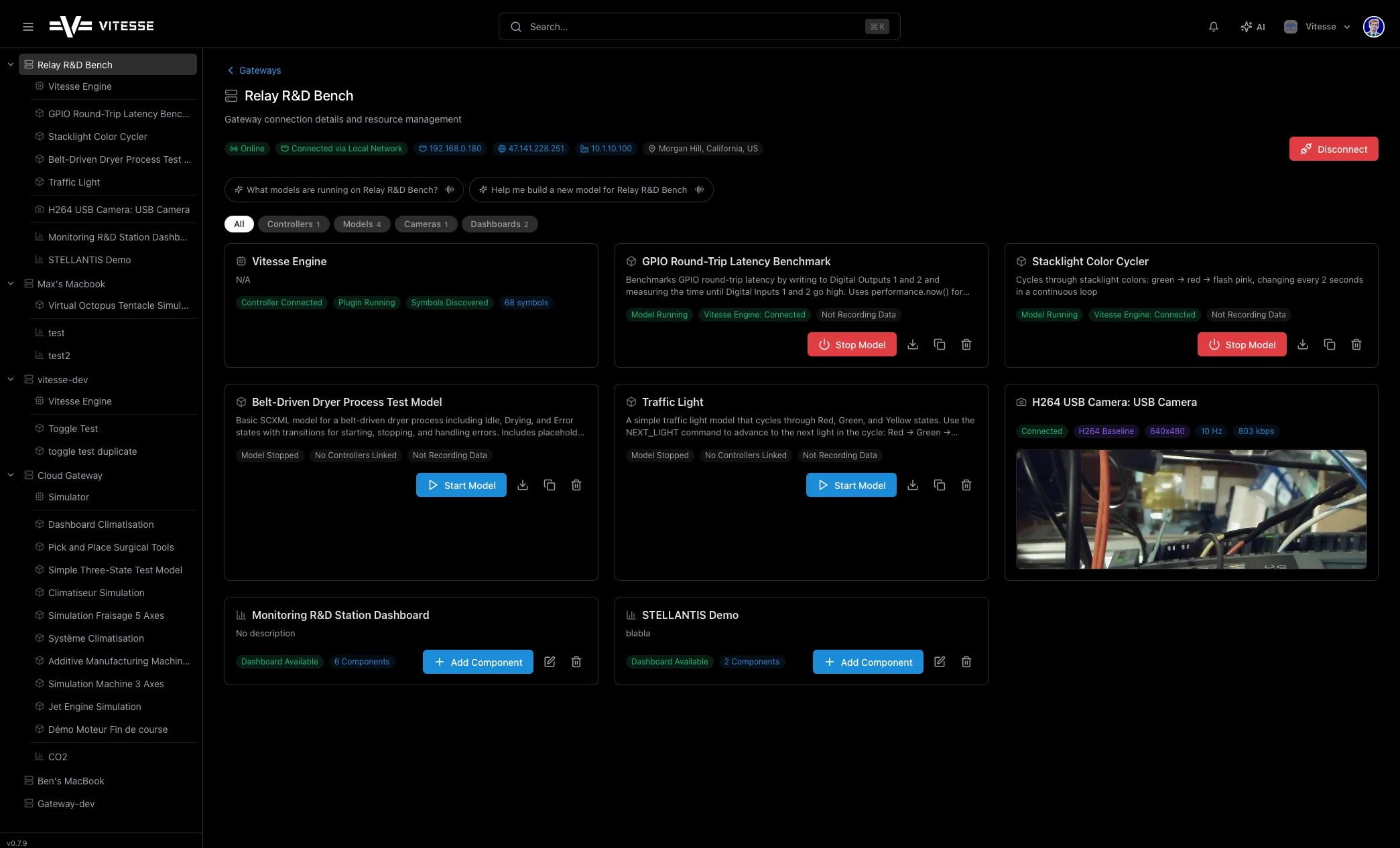
- Status badges - Online/Offline, connection type, software version
- Tab bar - filter by Controllers, Models, Cameras, or Dashboards
- Resource cards - everything connected to this Gateway
Connecting & Disconnecting
Section titled “Connecting & Disconnecting”- Click Connect on a Gateway card or detail page to open a connection
- Click Disconnect to close your browser connection (the Relay keeps running on-site)
Software Updates
Section titled “Software Updates”Gateways update automatically over-the-air:
- A notification appears when an update is available
- Click Download
- Once downloaded, click Install
- The Gateway briefly disconnects, updates, and reconnects